


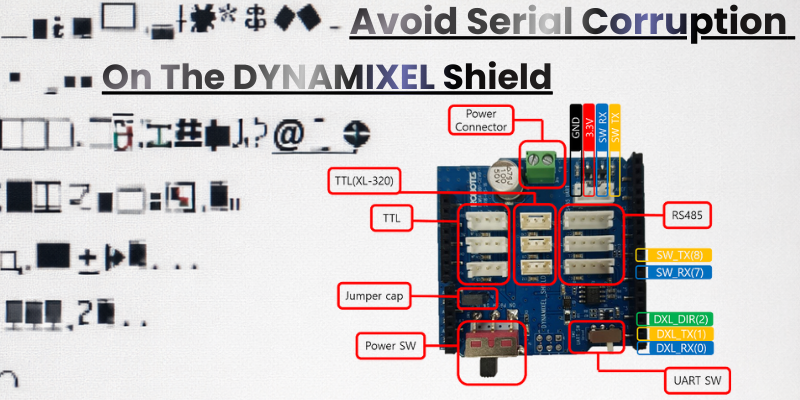
Using Serial Monitor via DYNAMIXEL Shield
Posted by Mason Knittle on 24th Dec 2025
Serial Communication Overview
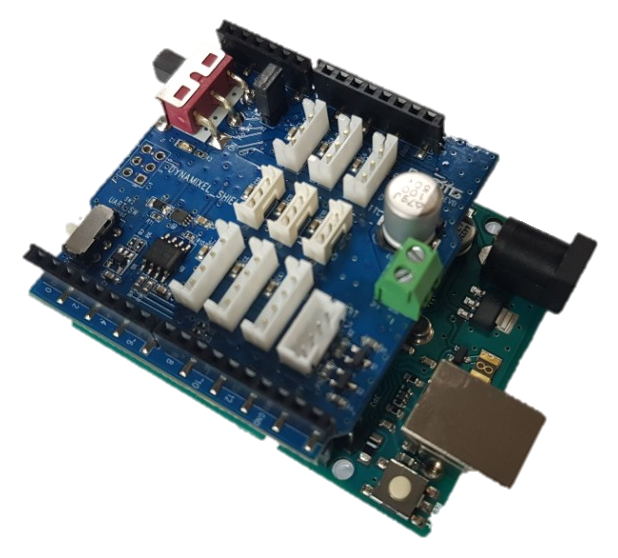
- The DYNAMIXEL Shield communicates with actuators using the Arduino’s hardware serial interface (TX/RX). This is the same physical UART interface used for USB communication with a computer.
- On many Arduino boards, this shared interface can lead to conflicts. If both the shield and the Serial Monitor try to use the same serial line, commands to the motors may collide with debug messages.
Why Serial Feedback Is Challenging
- When both the DYNAMIXEL Shield and Serial Monitor use the same UART, debug messages may not appear or may interfere with motor communication. This can manifest as missing feedback, strange motor behavior, or garbled output in the Serial Monitor.
- Many new users get confused when actuator responses don’t appear as expected. Understanding the shared nature of serial lines helps avoid this common pitfall.
Recommended Debug Serial Setup
- Use a separate debug serial interface for Serial Monitor output, leaving the hardware serial port dedicated to DYNAMIXEL communication. This separation prevents motor commands and status messages from interfering with each other. You can use the UART port on a U2D2, or another third-party USB-to-serial interface, for debug output. 3rd party serial interface. This is especially important on boards with only one hardware UART, such as the Arduino Uno.

- The official DynamixelShield and Dynamixel2Arduino libraries support this approach through the
DEBUG_SERIALdefinition. Setting this up properly lets you safely print debug messages to the Serial Monitor while controlling motors.
Using SoftwareSerial (Common Arduino Boards)
- On boards with only one hardware UART (like the classic Arduino Uno), you can use SoftwareSerial on alternative digital pins (e.g., pins 7 and 8) to output debug messages.
- This method allows you to view actuator feedback in the Serial Monitor without interrupting DYNAMIXEL communication, which remains on the hardware serial interface.
Considerations for Newer Boards
- Boards like the Arduino Uno R4 include multiple hardware serial interfaces, making it easier to separate motor communication from debug output. This reduces the need for SoftwareSerial and improves reliability.
- When possible, always use a dedicated hardware serial interface for the DYNAMIXEL Shield for optimal performance.
Practical Tips
- Ensure baud rates match between the Serial Monitor and your debug serial port to avoid garbled messages.
- Avoid initializing
Serialon pins used by the DYNAMIXEL Shield unless intentionally redirecting motor communication. - Always refer to official library examples, as these provide tested serial monitor configurations that prevent common issues.
Got Questions? Join our Discord now! - https://discord.gg/robotis